Extract Email ids from Clipboard
 |
 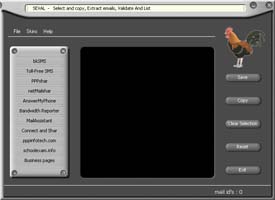 |
Use SEVAL Email Extractor & Validator to Select, Copy, Extract Emails, Validate And List.
Collect and Storing emails while browsing Websites or reading documents or emails is made easy, if you use SEVAL. Simply select the text portion (Select Copy or Select All) in part or full which contains the email ids and copy the same. Ensure that SEVAL is running before doing this. SEVAL extracts, validates and lists after removing duplicates of all the contents in the Clipboard and now you can save or copy the email ids and use it for mailing or archiving. Email us if you have any special requirement to grab/filter/extract Email ids from any source.
Free Download | Buy now | Clipboard Email Extractor, Email Validator Features
Extract Email address from Gmail - FREE Trial
Visit www.gmailextractor.com
PPPshar Enterprise Edition - Internet Connection Sharing, Website
access control and monitor
Share your wired or wireless Internet connection among multiple computers and devices in your office network. Download 5 user version. || Read more...
+ HTTP proxy, Socks 4,5 proxy, FTP proxy, Email proxy, Port
Mapper/Redirector
+ Control web access with username/password. Only authorized users
can use browser to browse websites.
+ Website blocker and filter.
+ Allow access only to list of websites you specify.
+ Allow/Deny browsing access to specific client computers.
+ Logging enables you to store browsing history of all users in
your network in a single location.
+ Monitor browsing activity of users in your network and more.
FREE Download 5 user
version || Visit
PPPshar website